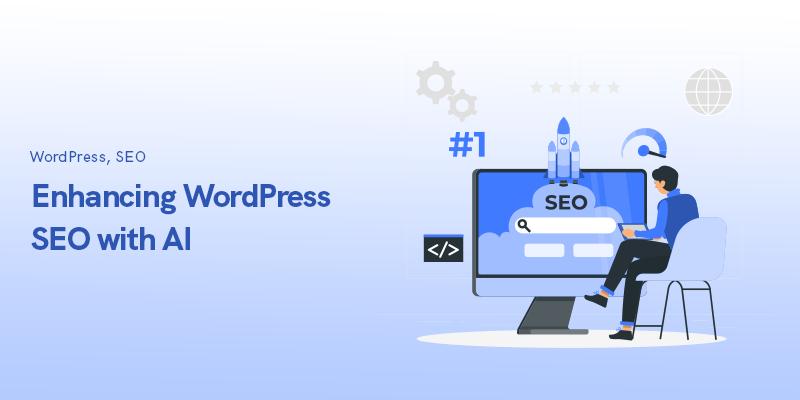
Artificial Intelligence is revolutionizing the way WordPress websites are managed and optimized. Instead of switching between multiple tools, AI can now work directly inside WordPress to automate tasks such as image editing, SEO optimization, content translation, content expansion, image enhancement, FAQ generation, WooCommerce product optimization, featured image creation, and automatic categorization.
These AI-powered workflows help website owners save time, improve productivity, enhance SEO performance, and scale content creation more efficiently. By integrating AI into daily WordPress operations, businesses and bloggers can focus on growth while AI handles many repetitive tasks in the background. 🚀🤖
AI in WordPress
Artificial Intelligence or AI in wordpress is transforming the way websites are managed, optimized, and scaled. From content creation and SEO optimization to image editing and multilingual publishing, AI has become an indispensable tool for WordPress users.
Most website owners still use AI the traditional way—opening ChatGPT or another AI platform, copying content, switching tabs, and manually updating their website. While effective, this process can be slow and repetitive.
Today, AI can work directly inside WordPress, allowing website owners, bloggers, marketers, and WooCommerce store managers to automate many daily tasks without leaving their dashboard.
In this article, we’ll explore 10 powerful ways AI can be used directly inside WordPress to improve productivity, streamline content management, enhance SEO, and grow your website faster.
Why AI in WordPress Are the Perfect Combination 🚀
WordPress powers more than 40% of websites worldwide. Managing large amounts of content, images, products, categories, and SEO data can quickly become overwhelming.
AI helps by:
✅ Automating repetitive tasks
✅ Improving content quality
✅ Enhancing SEO performance
✅ Reducing manual work
✅ Scaling content production
✅ Improving website consistency
Whether you run a blog, business website, news portal, or WooCommerce store, AI can significantly improve your workflow.
1. Edit Images Using Simple AI Prompts 🖼️
Traditionally, editing images required tools like Photoshop or Canva. With AI-powered image editing inside WordPress, you can simply describe what you want another power of AI in WordPress.
Examples include:
- Remove image backgrounds
- Remove unwanted objects
- Delete text from images
- Add flowers to a garden photo
- Add furniture to empty rooms
- Improve lighting
- Sharpen blurry images
Benefits
- Saves time
- No design skills required
- Faster content publishing
- Professional-quality visuals
Example
Instead of spending 10 minutes editing a product image, simply enter:
“Remove the background and improve image lighting.”
AI completes the task in seconds.
Suggested Image
2. Generate SEO Titles and Meta Descriptions Automatically 📈
Creating SEO-friendly titles and meta descriptions for hundreds of pages can be exhausting, a wonderful feature of AI in WordPress.
AI understands:
- Search intent
- Keywords
- User behavior
- Content relevance
This allows AI to generate optimized metadata at scale.
Benefits
- Better click-through rates
- Improved search visibility
- Consistent SEO implementation
Example SEO Title
10 Powerful AI Tools for WordPress Website Owners in 2026
Example Meta Description
Discover the best AI tools for WordPress to automate SEO, content creation, image editing, and website management.
3. Translate Content Directly Inside WordPress 🌍
Managing multilingual websites can be challenging but now with AI in WordPress is much easier
AI allows you to instantly translate:
- Blog posts
- Product descriptions
- Landing pages
- Categories
- FAQs
without using external translation tools.
Benefits
- Faster localization
- Improved global reach
- Better user experience
Popular languages include:
- Hindi
- Marathi
- Gujarati
- Spanish
- French
- German
For websites targeting multiple regions, AI dramatically reduces translation costs.
Suggested Image
4. Lengthen or Shorten Content Instantly ✍️
One common challenge in website design is inconsistent content length.
AI in WordPress can:
- Expand short content
- Condense long paragraphs
- Rewrite content
- Normalize text length
Benefits
- Better page design
- Improved readability
- Consistent user experience
For example:
A 15-word product description can become a detailed 100-word explanation with a single AI prompt.
5. Change Image Ratios Without Cropping with AI in WordPress 📷
Creating images for different platforms often requires multiple versions.
AI can intelligently expand images to fit:
- Instagram posts
- Facebook ads
- Website banners
- Blog thumbnails
- Hero images
Instead of cropping important elements, AI generates additional visual content around the image.
Benefits
- Better image quality
- Improved social media appearance
- Consistent branding
6. Enhance Image Quality Automatically ✨
Sometimes images don’t need editing—they simply need enhancement.
AI can improve:
- Sharpness
- Color balance
- Contrast
- Brightness
- Shadow details
- Noise reduction
Benefits
- Professional appearance
- Faster image optimization
- Better engagement
Suggested Image
7. Generate FAQ Sections for Blog Posts Automatically with AI in WordPress❓
FAQ sections improve:
- SEO
- User experience
- Featured snippets
- AI search visibility
AI can automatically generate FAQs based on:
- Blog titles
- Content topics
- Keywords
Example
Blog Title:
Best CRM Software for Real Estate
Generated FAQs:
- What is a real estate CRM?
- Which CRM is best for property agents?
- How much does CRM software cost?
Benefits
- Better SEO rankings
- Rich results eligibility
- Increased content depth
8. Bulk Improve WooCommerce Product Content 🛒
Managing hundreds of products manually can consume enormous amounts of time but AI in WordPress has made is much easier.
AI can bulk update:
- Product descriptions
- Benefits
- Features
- Specifications
- SEO titles
- Meta descriptions
Benefits
- Faster catalog optimization
- Better product discoverability
- Improved conversion rates
Example
AI can rewrite 500 product descriptions in minutes while maintaining consistent tone and branding.
9. Generate Featured Images for Blog Posts 🎨
Creating custom featured images for every article is time-consuming.
AI can generate images automatically using:
- Post title
- Brand colors
- Design guidelines
- Custom instructions
Benefits
- Faster publishing
- Visual consistency
- Increased click-through rates
This is especially useful for:
- News websites
- Technology blogs
- Digital marketing agencies
- Content-heavy publications
10. Automatically Assign Tags, Categories, and Taxonomies by AI in WordPress 🏷️
Proper categorization is essential for SEO and website organization.
AI can analyze content and automatically assign:
- Categories
- Tags
- Product attributes
- Custom taxonomies
Benefits
- Better site structure
- Improved internal linking
- Enhanced search relevance
This is particularly valuable for:
- Blogs
- WooCommerce stores
- Directories
- Large content websites
How AI Improves SEO, GEO, and AIO Optimization with AI in WordPress
SEO (Search Engine Optimization)
AI helps by:
- Generating optimized titles
- Creating keyword-rich descriptions
- Improving content structure
- Enhancing internal linking
GEO (Generative Engine Optimization)
Generative search engines like AI assistants prefer content that:
- Answers questions clearly
- Includes FAQs
- Uses structured headings
- Provides expert insights
AIO (AI Optimization)
AI-powered search systems prioritize content that:
- Is well-organized
- Contains schema markup
- Provides comprehensive answers
- Demonstrates topical authority
Implementing AI workflows directly inside WordPress helps create content that performs well across traditional search engines and emerging AI search platforms.
Final Thoughts
AI is no longer just a content-writing tool. It has become a complete productivity partner for WordPress website owners.
From image editing and SEO optimization to multilingual publishing and WooCommerce management, AI can automate countless repetitive tasks while improving content quality and consistency.
The biggest advantage isn’t simply saving time—it is the ability to scale content production, manage larger websites, improve SEO performance, and deliver a better user experience from a single interface.
As AI continues to evolve, WordPress users who embrace these workflows will gain a significant advantage in content creation, website management, and organic growth.
Key Takeaway
The future of WordPress is not about working harder—it is about working smarter with AI.
Learn more on Digital Marketing
Which On-Page SEO Elements Carries the Most Weight for SEO?
Everything You Need to Know About AI-generated Content in 2026
40 Proven Ways on How to Increase Traffic to Your Website | Tips & Strategies